
Patient experience
Keep patients connected to what happens next.
Patient experience extends far beyond the visit. JardogsHealth connects the moments before, after, and between encounters, helping patients get answers, understand what's next, and stay connected to their health.
One patient. A connected experience.
- Before the visit
 EngageFrontDeskThe reminder arrives, then registration and check-in are done before they walk in.
 - When they need you
 AttuneThe incoming call is answered, understood, and routed to the right next step.
 - Across their health
 HealthThreadRecords, results, and next steps carry forward between visits.
 - In the care environment
 BarkBoardOnsite screens keep patients informed while they wait.
Connection takes more than one channel.
- AttuneAnswerHow they reach you. Every call answered, around the clock, and routed to the right place.
- EngageConnectHow you reach them. Messages. Requests. Forms. Next steps.
- HealthThreadOwnThe health record they carry forward. Their history and health information, brought together in one place.
- BarkBoardInformWhat they see around care. Education, information, and communication in the physical environment.
Patient experience before, after, and between visits.
Patient engagement shouldn't depend on another login. Meet patients where the interaction happens.
Attune
AI voice · the patient's first contact
The AI voice front door.
Attune answers inbound patient calls with an AI voice agent that can understand the request, handle common needs, and route the interaction appropriately.
- Answers 24/7
- Books into the EHR
- Configurable voices
What it does
- Answers inbound calls 24/7 and authenticates the patient
- Books, reschedules, and cancels appointments directly in the EHR
- Supports phone check-in and common patient requests end to end
- Routes to the right person only when a human is needed
- Configurable voice personas to match the practice
How it works
- AnswerAttune picks up immediately, 24/7, no hold queue, and verifies who's calling.
- UnderstandIt interprets the request: scheduling, a question, check-in, or something needing a person.
- ActIt books or updates the appointment in the EHR, or completes phone check-in.
- RouteAnything needing a human is routed to the right person, with context attached.
No missed calls. No hold times. Staff freed from the phones.
Inbound + outbound
Two directions. One communication layer.
Patient communication runs both ways. Attune handles the calls coming in. Engage handles the outreach going out.
Patient
Same patient, same platform, opposite directions.
Engage
Outbound messaging
Don't wait for patients to come looking for the next step.
Engage reaches patients through text, calls, email, and IVR with reminders, requests, forms, confirmations, and other outreach that keeps care moving.
Send the next step. Get the response. Keep the workflow moving.
- More than messagingText, calls, email, IVR, forms, reminders, and confirmations give organizations multiple ways to reach patients.
- Built around the workflowOutreach is tied to what needs to happen next, helping turn communication into completed action.
Example text thread. The clinic reminds the patient of a Tuesday 9:20 AM visit with Dr. Reyes and asks them to reply C to confirm or R to reschedule. The patient replies C. A pre-visit form to update insurance and medications arrives, two minutes with no login. An earlier slot opens on Monday at 8:40 AM, the patient replies YES, and the confirmation arrives with the Tuesday appointment released.
One outbound layer
- The reminder goes out on scheduleSent on the workflow's timing, in the patient's language, on the channel they use.
- The reply lands back in the scheduleA confirmation, a reschedule, or a cancellation writes back through FrontDesk. No one retypes it.
- The form arrives before the patient doesInsurance, medications, and pre-visit questions completed on the patient's own device. No portal, no password.
- An opening reaches the right patientFrontDesk finds the cancellation. Engage offers the slot to the patients waiting for it.
Outbound patient engagement
The right message. At the right point in care.
- RemindKeep appointments from becoming surprisesSend reminders and time-sensitive communications so patients know what's coming.
- ConfirmKnow who's planning to arriveA simple way for patients to confirm appointment details, so teams see where action is needed.
- FillTurn an opening into an opportunityWaitlist notifications when availability changes. FrontDesk identifies the opening. Engage reaches the patient.
- CollectGet information before someone asksPre-visit forms and requests so details arrive before the patient does.
- InformKeep patients in the loopCommunicate stages, steps, and next actions throughout the care experience.
Inside Engage
Configure once. Reach patients when the workflow calls for it.
Organizations configure when communication happens and what it asks the patient to do. Engage is an outbound engagement platform, not just SMS functionality.
- TriggerAppointment scheduled · approaching · opening available · information needed
- EngageMessage · request · form
- PatientConfirm · respond · complete · submit
- Workflow continuesThe next step moves forward.
Example · request an insurance card
One missing card, handled without a phone call.
Stop waiting for the patient to find the next step. Bring the next step to them.
HealthThread
Personal health record
Where your health records come together.
Health information is created everywhere: different physicians, health systems, EHRs, devices, and moments in a life. HealthThread brings it together in one personal health record the patient can own, shape, and carry forward.
Not another patient portal
A portal gives a patient access to an organization's view of them. HealthThread is designed around the patient's view of themselves.
Inside HealthThread
One person. More than one source of truth.
Inside the app
One sign-in, every provider
The patient signs in once. Records from every connected organization are waiting behind it.
HealthThreadOne patient-controlled record.

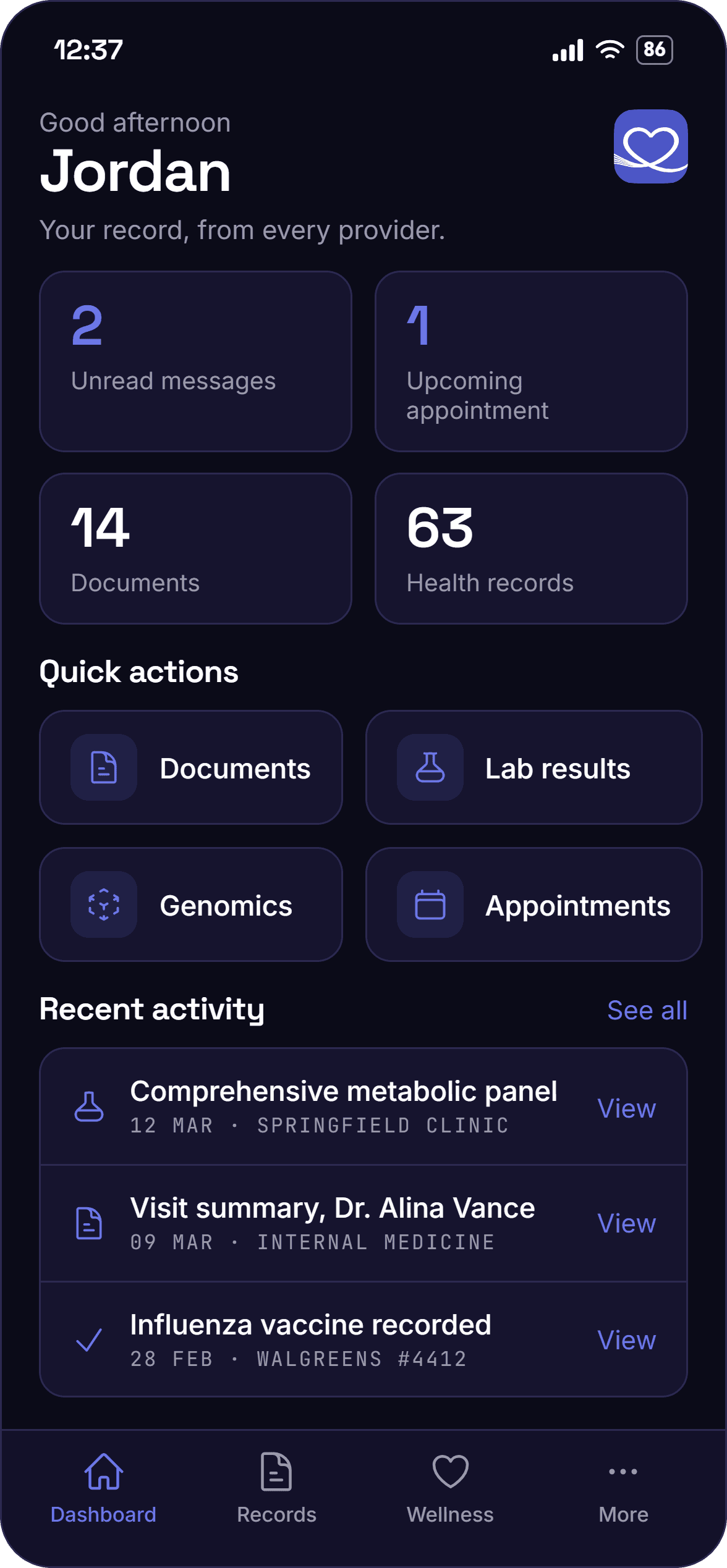
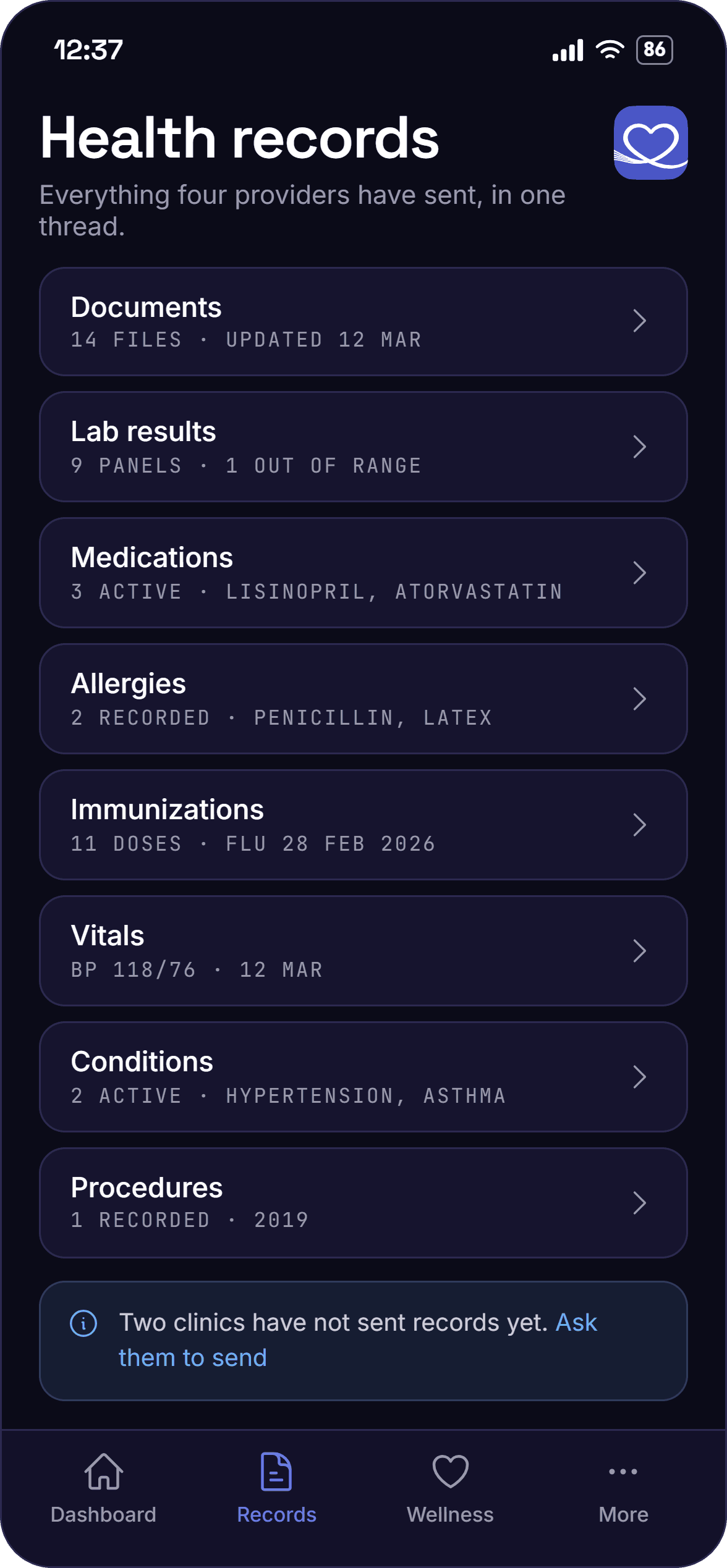
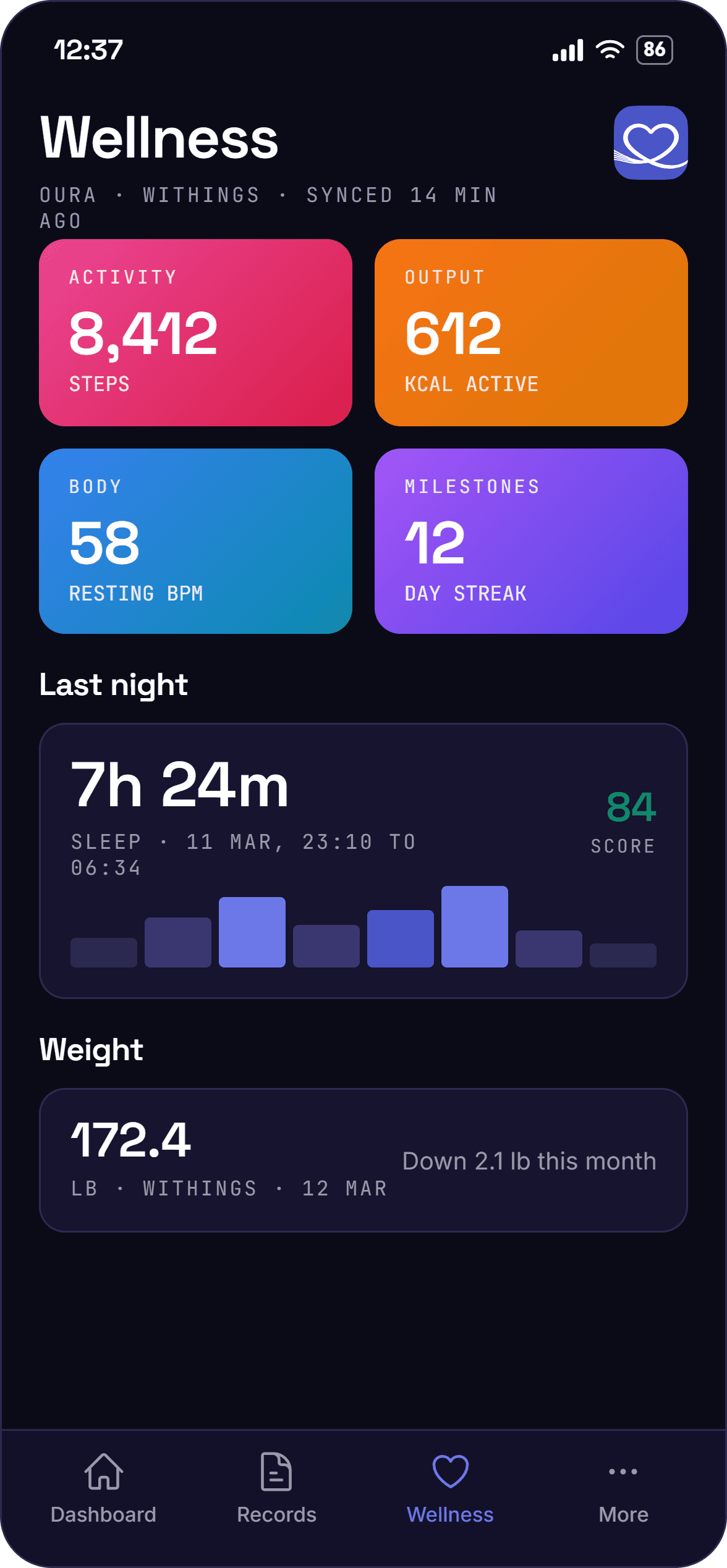
- RecordsBring healthcare records togetherConnect information from different healthcare organizations into a more unified personal record.
- HistoryBuild the story beyond today's visitA place to maintain the health history and information that matters over time.
- DevicesConnect what's created outside the clinicBring information from connected health and wellness devices into the broader health story.
- What matters to meShaped around the personLet patients shape their record around the information, goals, and health areas that matter most.
Portal vs. personal health record
Your providers have a system of record. Patients should have one, too.
A patient portal
- Built around a healthcare organization
- Shows information from that organization
- Exists inside an organization's technology ecosystem
- Organization determines the experience
- One window into the record
HealthThread
- Built around the individual
- Brings information together across sources
- Travels with the patient
- Patient shapes what matters to them
- A personal health record
More than a record
Information that can move with the patient.
HealthThread creates a persistent health record that can bring together information from across the patient's care and make it available across connected experiences.
- Clinical records
- Medications and history
- Patient-entered information
- Connected-device data
One health story. Owned by the person living it.
BarkBoard
Digital signage
Turn every screen into part of the patient experience.
BarkBoard centrally manages digital content across waiting rooms, exam rooms, and other care environments, helping organizations inform, educate, and communicate through the screens patients already see.
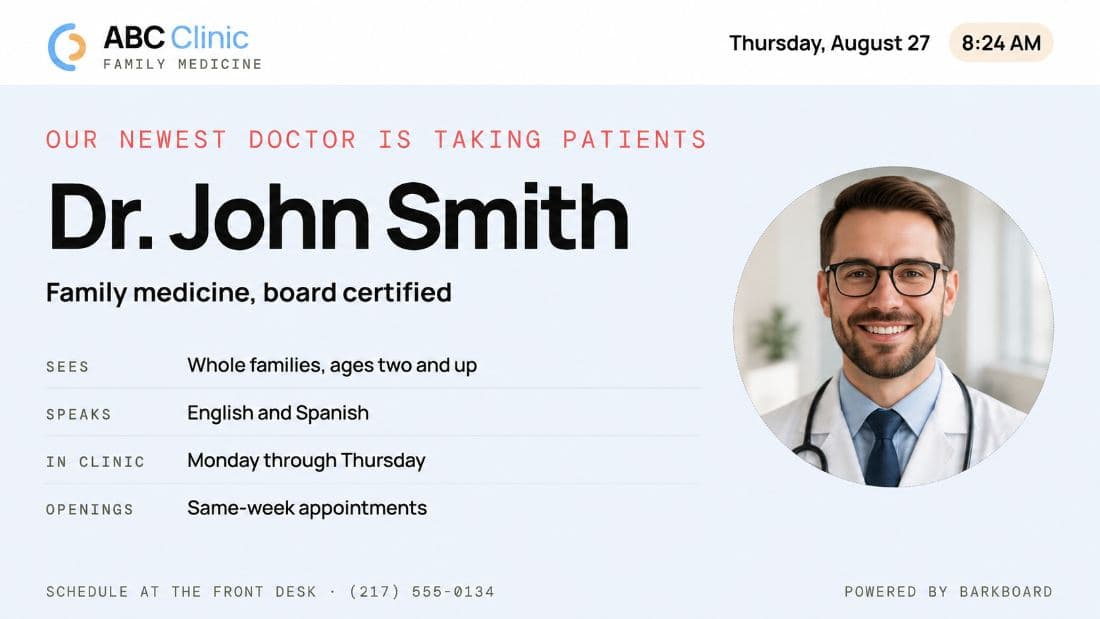
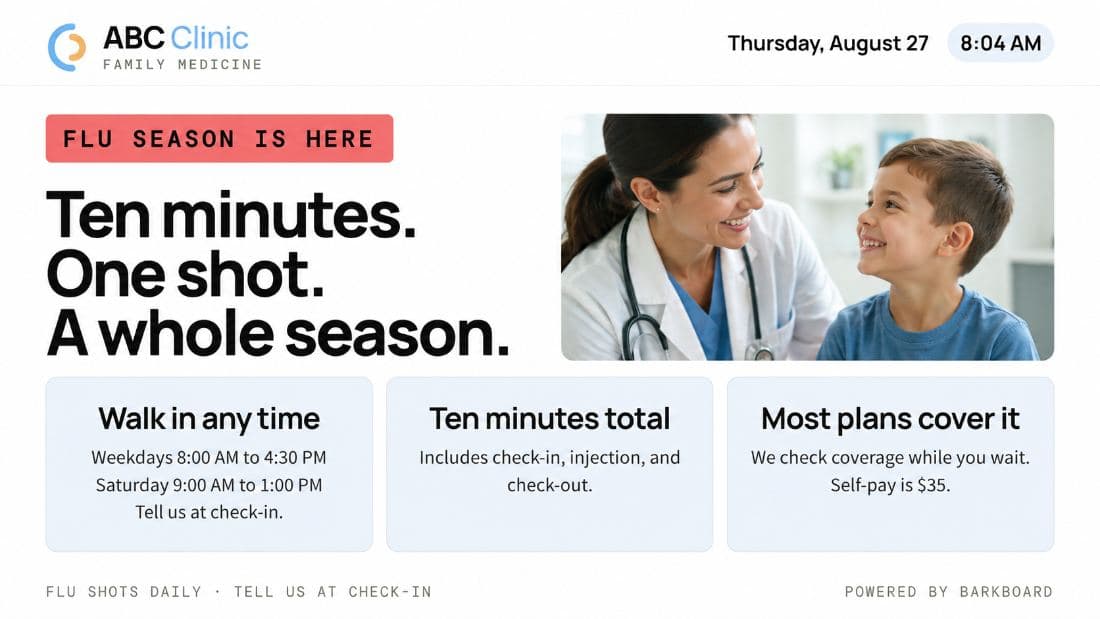
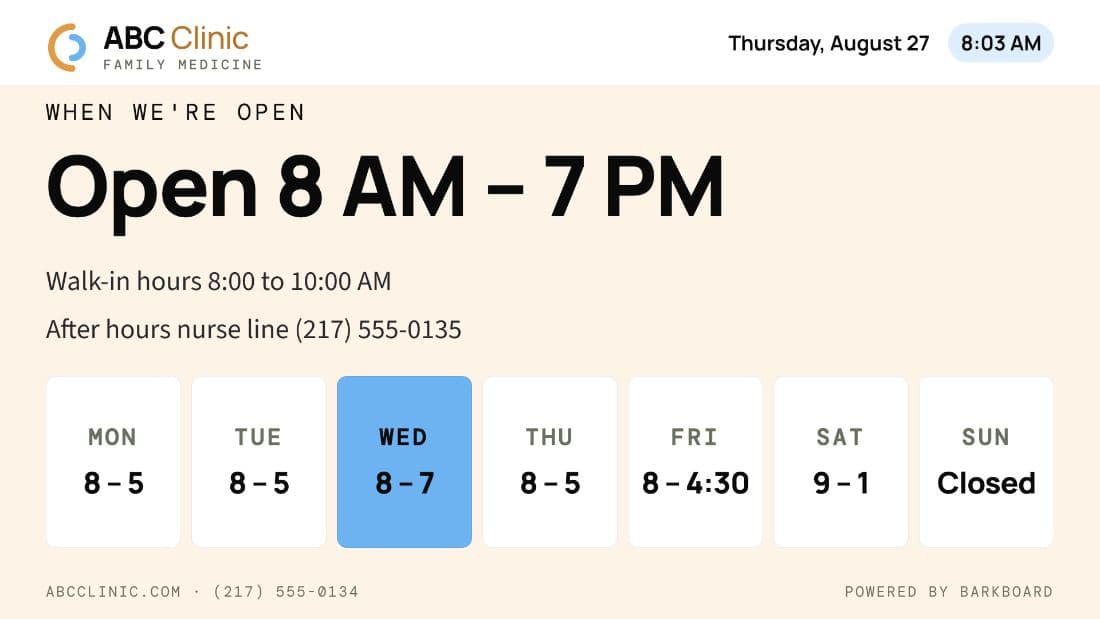
On the board
One playlist, scheduled centrally.
Announcements, seasonal care, and practice information rotate on their own. Staff never touch the screen.
Beyond the lobby
Exam rooms get their own playlist, and one console controls every supported display across locations.
The BarkBoard workflow
- CreateChoose or build content.
- OrganizeDetermine where it belongs.
- ScheduleControl when it appears.
- PublishPush to connected displays.
- UpdateManage centrally.
Every screen is another opportunity to communicate.
Patient experience
The visit ends. The relationship doesn't.
Connect more of the moments before, after, and between care.